AI image toolkit for cleanup, backgrounds, relighting, upscaling, text removal, and creative generation.
Best for: Background removal and Image cleanup
Image GenerationDesign & UX
AI visual workspace for turning text into diagrams, flowcharts, mind maps, charts, and presentation material.
Best suited to
Turning a written explanation into a clear visual
AI visual workspace for turning text into diagrams, flowcharts, mind maps, charts, and presentation material.
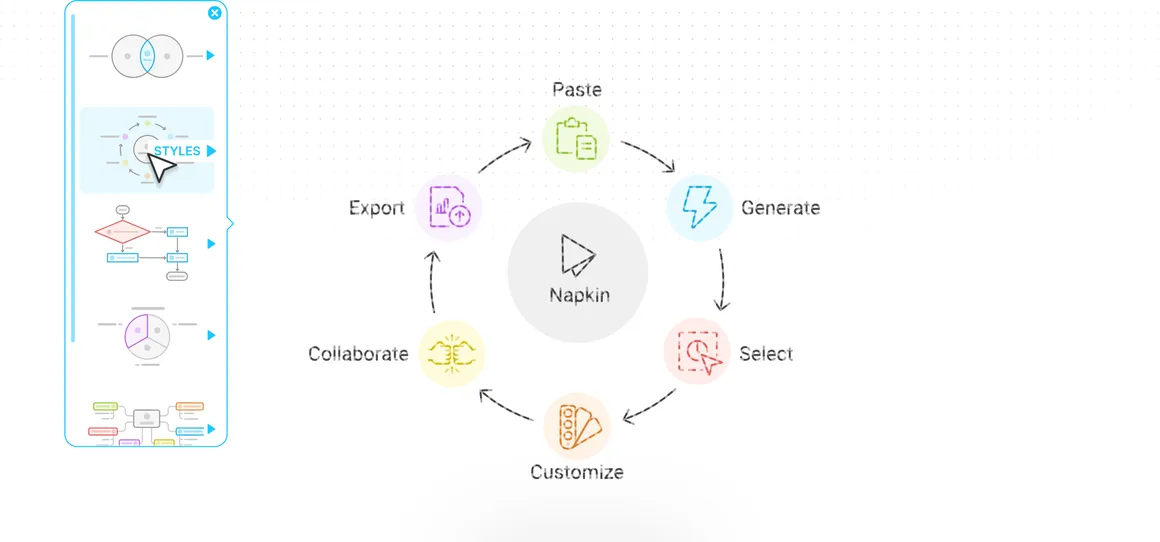
Select the relevant passage, generate a visual, and refine the labels and layout for the audience.
Access and pricing: Free supplies 500 AI credits/week with PNG and PDF export and Napkin branding. Paid plans add credits, branding controls, and PPT or SVG exports.
Based on Napkin's pricing page, the Free plan is easy to try: it lists 500 AI credits per week and unlimited PNG and PDF export. Generation uses about one credit per word selected, so short passages go a long way and long documents use credits faster.
Paste a short paragraph, select the key sentences, and generate a visual such as a flowchart or mind map. Edit labels so they match your terminology, then export as PNG or PDF and drop it into your deck.
The pricing page lists Free at $0, Plus at $9 per person per month, Pro at $22 per person per month, and Enterprise through sales, with annual billing saving 25%. Plus and Pro add unlimited PPT and SVG export. The existing listing notes Napkin branding on the Free plan. If you need editable PowerPoint or SVG files, plan for a paid tier.
Text-to-visuals
Flowcharts
Mind maps
Data charts
Visual editing
Presentation tools
Free supplies 500 AI credits/week with PNG and PDF export and Napkin branding. Paid plans add credits, branding controls, and PPT or SVG exports.
$0
US$9/person/month, current monthly option
Plan information can change. Prices and conditions are set by the provider. Information checked 2026-10-06.
Source for access detailsOne email a week: new free AI tools, prompts and free-plan changes. No spam, unsubscribe any time.
By subscribing you agree to receive this email from Genius Forges and to us storing your address to send it. We may ask you to confirm by email. Every email has an unsubscribe link. See our privacy policy.
Select the relevant passage, generate a visual, and refine the labels and layout for the audience.
Free supplies 500 AI credits/week with PNG and PDF export and Napkin branding. Paid plans add credits, branding controls, and PPT or SVG exports.
Official-source information was reviewed on 2026-10-06. Plans and limits can change; check the linked provider source before subscribing.
Yes. The pricing page lists a Free plan, described as free forever, with 500 AI credits per week and unlimited PNG and PDF export. Paid plans add PPT and SVG export.
Per its pricing page, Plus is $9 per person per month and Pro is $22 per person per month. Enterprise requires contacting sales, and annual billing saves 25%. Check the page for current prices.
Napkin AI turns text into visuals such as diagrams, flowcharts, mind maps, and charts, which you can edit and reuse in presentations and documents.
Tell us what needs improving. No account or private output required.
Report incorrect information or a broken linkAI image toolkit for cleanup, backgrounds, relighting, upscaling, text removal, and creative generation.
Best for: Background removal and Image cleanup
Visual creation suite with templates, collaborative editing, and AI tools for writing, images, video, and design.
Best for: Template-based design and AI writing
AI presentation software with automated slide layouts, branded templates, and team presentation workflows.
Best for: Smart Slides and AI presentations